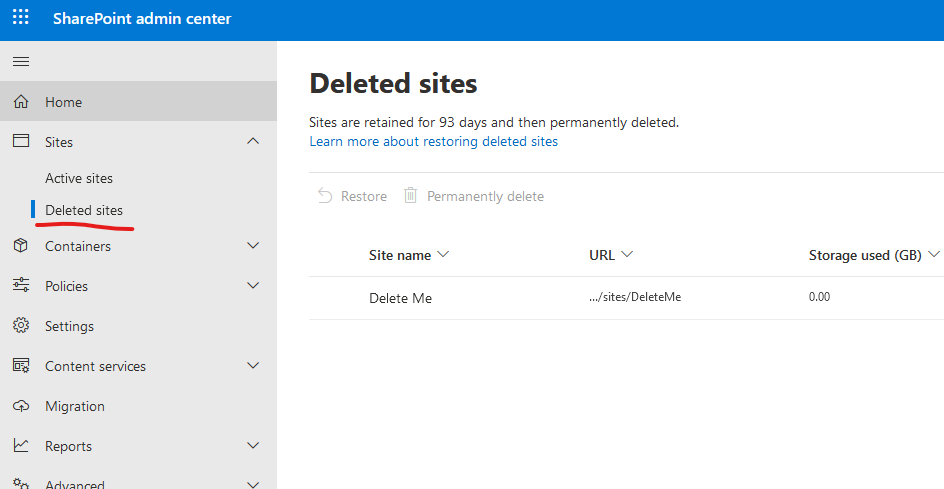
In the SharePoint admin centre you can see a list of deleted sites. It’s easily found:
But there’s no API endpoint for this. They don’t show up in the sites list from the /sites endpoint of the Graph API. So how do you find them in Power Automate and Logic Apps?
Thankfully, there’s a super-secret hidden list of all sites in the tenancy you can get out of the admin site, which contains metadata that indicates if a site is deleted.
The list is in the admin site (https://yourcompany-admin.sharepoint.com) and it’s called DO_NOT_DELETE_SPLIST_TENANTADMIN_AGGREGATED_SITECOLLECTIONS
If you just do a Get lists action against your admin site, you don’t find it, just this USERSTORAGE one:
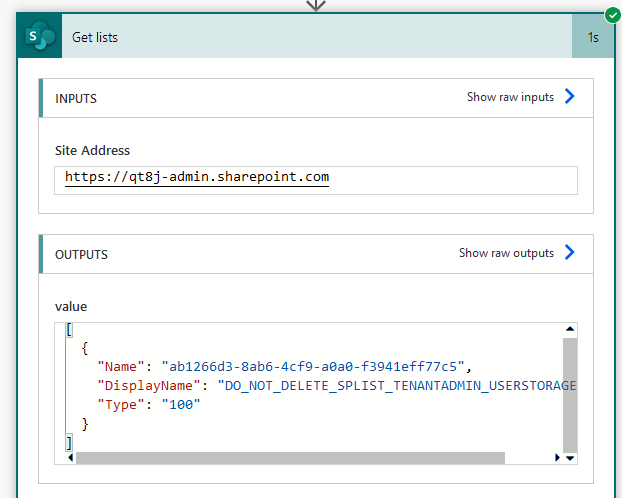
So how do we find the super-secret list? Easy. Let’s just switch to PowerShell quickly. Connect to your admin site and run Get-PnPList:
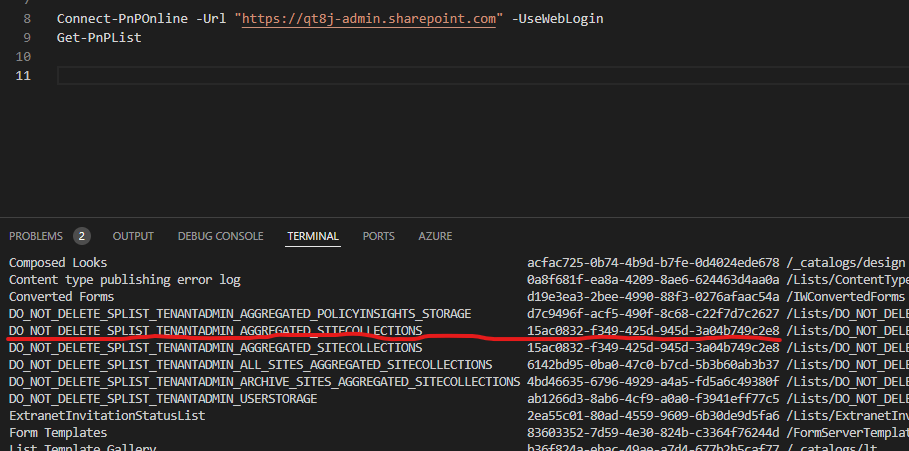
There you go – the super-secret list. Now let’s copy down its ID and use it in a flow:
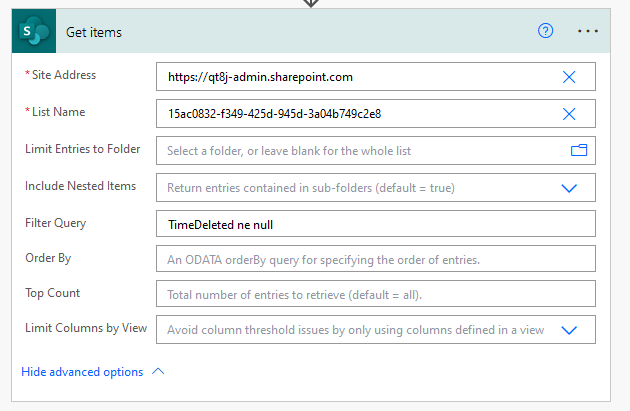
Note the Site Address is the admin site – you’ll need to use a custom value and type that in. In the list of lists you’ll only see that single one from the Get lists screenshot earlier. So again, use a custom value and paste the list ID you got from PowerShell earlier.
If you only want to get deleted sites, add a Filter Query TimeDeleted ne null as in the screen shot above.
Here’s the response, showing the same site as in the SP admin centre:
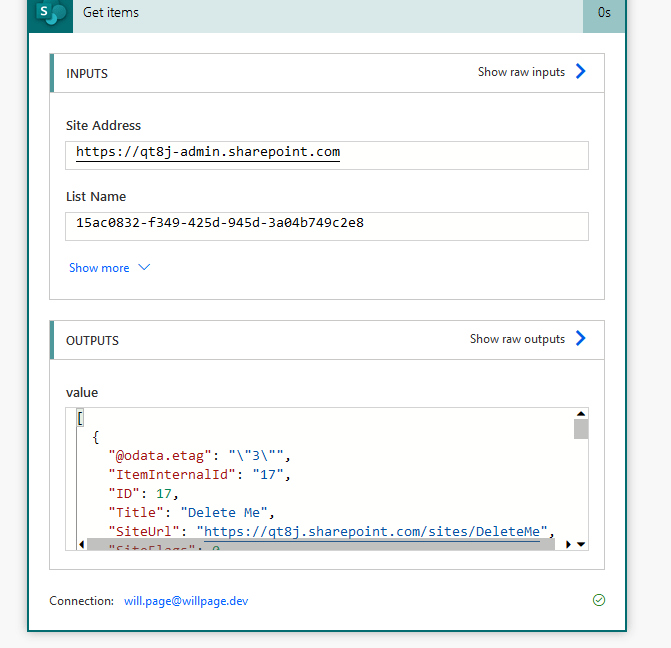
You can see these fields on deleted sites:

Add 93 days to that timestamp to infer the time the site will be purged from the recycle bin.
This list actually contains all sites, deleted or not, so if you need that you can get the whole thing by excluding the filter query (don’t forget to enable pagination in the settings of the Get items action).
This is useful because you can see the used storage via the StorageUsed property and a few other useful things you don’t get from the /sites endpoint of the Graph API.
So there you go – easily access a list of deleted sites in SharePoint from Logic Apps and Power Automate. If you need to do this via the REST API, either v1 or Graph, just treat it as a normal list, but if using Graph, add $expand=fields to the URL as a query parameter and filter for deleted with fields/TimeDeleted ne null


 William's IT Blog 🍉